
ByMd BaizidReviewed by:Yunus A. Polash
Human WrittenCan Swift Be Used for Web Development? Complete Guide
Can Swift Be Used for Web Development Complete Guide? Discover how Swift is used for web development, backend APIs, and limitations.
Swift is widely known for iOS and macOS development, but its use now extends to modern web projects. The topic Can Swift Be Used for Web Development is becoming increasingly relevant for developers seeking a fast and reliable backend technology.
Swift allows developers to create REST APIs, cloud applications, dynamic websites, authentication systems, and server-side platforms. It is particularly valuable for businesses that already use Swift for mobile apps and want strong performance, type safety, and a consistent technology stack.
How Is Swift Used in Web Development?
Web development normally includes two main parts: frontend and backend. The frontend is what users see in the browser, while the backend handles databases, user accounts, authentication, payments, and application logic.
Swift is mainly used for backend web development. It can receive browser or mobile app requests, process information, connect with databases, and return HTML or JSON responses.
For example, when a user signs in to an application, the Swift backend can receive the login information, verify the account, create an authentication token, and return the appropriate response.
In an e-commerce application, Swift may be responsible for retrieving products from a database, processing orders, calculating prices, managing customer accounts, and communicating with payment services.
The browser interface may still be developed with HTML, CSS, and JavaScript, while Swift performs the important server-side operations.
Developers can use Swift to create:
- REST APIs
- Mobile app backends
- User authentication systems
- E-commerce platforms
- Booking applications
- Business dashboards
- Cloud services
- Database-driven websites
Swift can also support content management systems, subscription platforms, internal business tools, inventory applications, communication systems, and software-as-a-service products.
Its strong type system helps developers define predictable data structures for users, orders, products, payments, and other important business information.
Unlike desktop interface technologies discussed in Can Tkinter be used for web development, Swift has dedicated server-side frameworks that make backend development more practical.
These frameworks provide prebuilt tools for routing, middleware, authentication, database operations, validation, session management, and request handling.
Can You Build Websites With Swift?
Yes, you can build websites with Swift. Frameworks such as Vapor allow developers to create routes, manage databases, process forms, handle user accounts, and generate dynamic HTML pages.
A Swift application can produce complete server-rendered pages or operate as a backend API for a separate frontend application.
In a server-rendered project, the backend receives a browser request, retrieves the necessary information, prepares the page, and returns HTML. This model may be useful for business websites, customer portals, content platforms, and administrative systems.
In a separated frontend and backend architecture, Swift normally returns JSON data. A React, Vue, Angular, or mobile application can then receive that data and display it through its own interface.
This approach allows the same Swift backend to support a website, an iOS app, an Android app, and other connected applications.
However, Swift does not usually replace HTML, CSS, or JavaScript in the browser. A common Swift web application may use:
| Web layer | Technology |
|---|---|
| Page structure | HTML |
| Website styling | CSS |
| Browser interactions | JavaScript |
| Backend logic | Swift |
| Database operations | Swift framework and database driver |
HTML remains responsible for organizing visible page content. CSS manages layouts, colors, spacing, typography, and responsive design. JavaScript or TypeScript normally handles interactive browser features such as dropdown menus, live search, form validation, animations, and real-time page updates.
Swift handles tasks that should not be performed directly in the browser, including secure database access, password verification, payment processing, business calculations, permission management, and private API integrations.
Swift can also run in browsers through WebAssembly, but this approach is still less common than using JavaScript or TypeScript for frontend development. WebAssembly may create additional possibilities for running Swift code in browser environments, but it is not yet the standard choice for ordinary business websites.
Is Swift Good for Web Development?
Yes, Swift is good for web development when the project requires a secure, fast, and strongly typed backend. Its compiled nature and modern programming features make it suitable for APIs, cloud systems, and scalable web applications.
Swift can be especially effective when the development team already understands the language or when the product includes an iOS or macOS application. Using Swift across multiple parts of the product may reduce the number of programming languages the team needs to maintain.
However, the quality of a web application does not depend only on the programming language. Database design, security practices, caching, server configuration, testing, monitoring, frontend performance, and application architecture are also important. Swift provides a strong technical foundation, but developers must still follow good web development practices.
Strong Performance
Swift compiles into native machine code, which can provide fast execution and efficient resource usage. This makes it useful for applications that process many requests or run inside cloud containers.
A compiled backend may start quickly, perform calculations efficiently, and use server resources more predictably than some interpreted alternatives. This can benefit APIs, real-time services, data-processing systems, and applications with frequent user requests.
Swift performance can also help businesses control infrastructure usage when an application grows. Efficient code may allow a server to process more requests with the same resources, although the actual result depends on how the application is designed and deployed.
However, actual performance also depends on database queries, caching, hosting configuration, and application architecture. A poorly optimized database request can slow down a Swift application regardless of how fast the language itself is. Developers must therefore optimize the complete system instead of relying only on the programming language.
Type Safety
Swift is a strongly typed language. It can detect many errors during development instead of allowing them to appear after deployment.
For example, developers can clearly define whether a value should be text, a number, a date, an object, or an optional value. When incompatible data is used, the compiler can identify the problem before the application is released.
Features such as optionals, structured error handling, and controlled memory access can help developers write more predictable backend code.
This is particularly useful for payment systems, account platforms, booking applications, and business software where unexpected data errors may create serious problems.
Type safety can also make large projects easier to maintain. When developers update a data model or function, the compiler can identify other parts of the application that may need to be updated. This reduces the risk of hidden errors and makes refactoring more manageable.
Modern Concurrency
Swift supports modern concurrency features such as async, await, tasks, and actors. These features help web applications manage database calls, external APIs, file processing, and multiple user requests efficiently.
Web servers regularly need to perform several operations without blocking the complete application. A request may need to retrieve information from a database, communicate with a payment provider, upload a file, or request data from another service.
Swift concurrency helps developers express these asynchronous tasks in a structured and readable way. It can make complex request-handling logic easier to understand than deeply nested callback-based code.
Actors can also help protect shared data from unsafe access when multiple operations occur at the same time. This is valuable for applications where concurrency errors could affect account balances, inventory information, bookings, or other shared resources.
Useful for Apple-Based Products
Swift server-side development can be particularly helpful when a company already has an iOS application. Mobile and backend teams can work with similar data models, coding styles, and development tools.
For example, a business may define user profiles, product structures, order statuses, or API request formats in Swift. Although mobile and backend code cannot always be shared directly, using the same language can make communication and technical coordination easier.
Developers may also share selected validation rules, reusable packages, and business logic between Apple applications and backend services. This can reduce duplicated work and help the product behave consistently across platforms.
Businesses should still choose their technology based on project needs, available developers, and long-term maintenance requirements. Professional web development services can help determine whether Swift is suitable for a specific platform.
Best Swift Web Frameworks
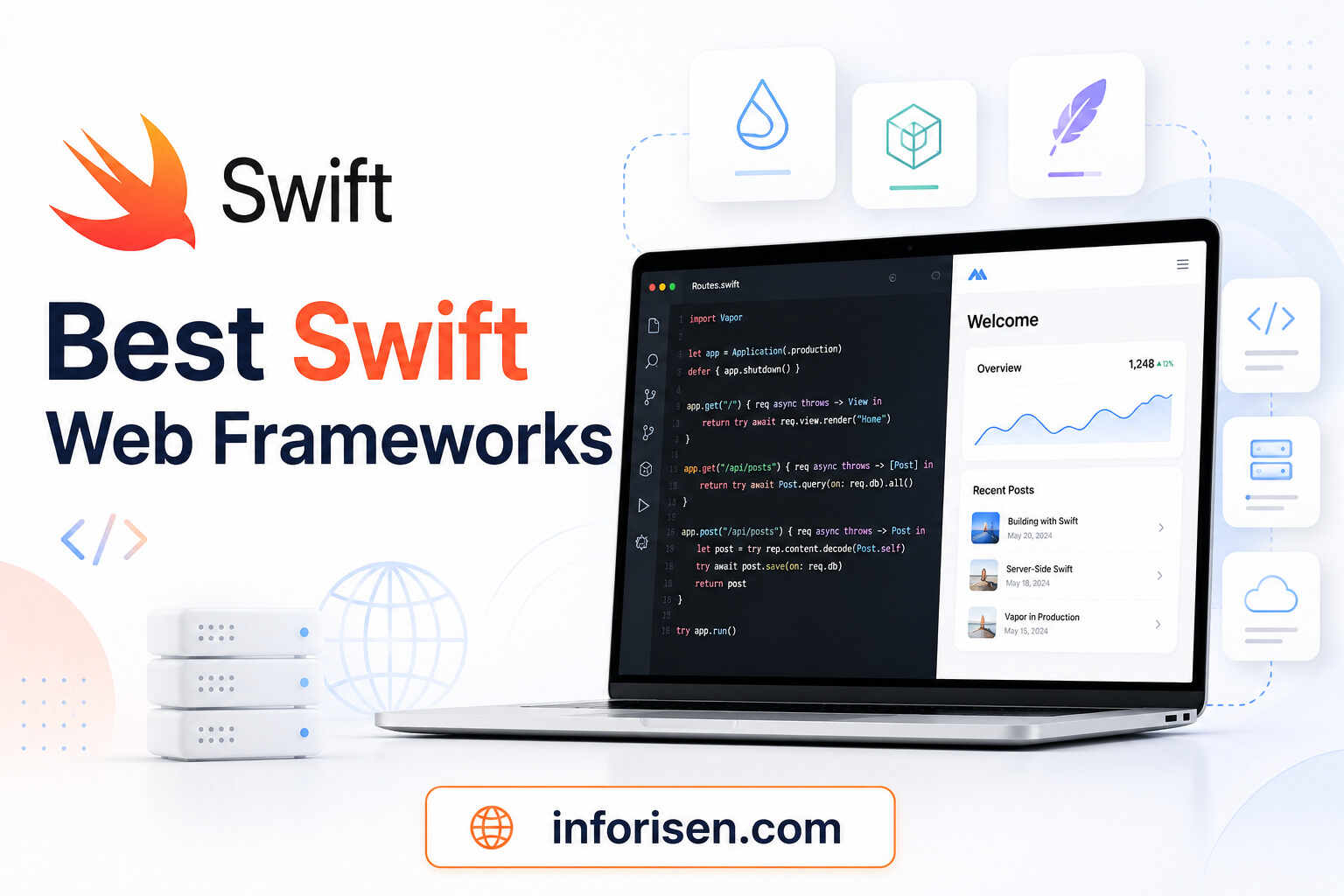
The best Swift web frameworks provide tools for routing, middleware, databases, authentication, and request handling.
A framework helps developers avoid creating every backend feature from the beginning. It normally defines how the application should be organized and provides tools for common web tasks. The right framework depends on the project size, required level of control, performance goals, and experience of the development team.
Vapor
Vapor is one of the most popular Swift frameworks for web and API development. It can be used for:
- REST APIs
- Dynamic websites
- Authentication systems
- Database applications
- Server-rendered pages
- SaaS platforms
Vapor provides a structured development environment for receiving requests, creating responses, validating data, managing errors, and organizing application components. Developers can define routes for different URLs and connect them with controllers that contain the required business logic.
Vapor also provides Fluent for database management and Leaf for generating dynamic HTML pages. Fluent allows developers to describe database models and relationships through Swift code. It can support tasks such as creating records, filtering information, updating data, and managing migrations.
Leaf can be used when the backend needs to generate HTML pages. It allows developers to combine templates with dynamic information, such as user names, products, articles, order details, or dashboard statistics.
Vapor also supports middleware, authentication, validation, WebSockets, environment configuration, logging, and other features required by modern web applications.
Hummingbird
Hummingbird is a lightweight Swift web framework. It is suitable for APIs, microservices, and projects that need a smaller framework with modern Swift concurrency support.
A lightweight framework may be preferable when developers want greater control over the application structure or do not need the complete feature set of a larger framework.
Hummingbird can be used for focused services such as authentication APIs, notification systems, file-processing services, internal tools, and independent microservices.
Its smaller approach can help teams build efficient applications without including unnecessary components. However, developers may need to select and integrate additional packages when the project requires advanced database, templating, or authentication features.
Hummingbird can be a strong option for experienced Swift developers who understand backend architecture and prefer a flexible, concurrency-focused framework.
SwiftNIO
SwiftNIO is a low-level networking framework. It is mainly used when developers need greater control over asynchronous networking and custom server systems.
It provides essential tools for building high-performance network applications, including servers, clients, protocols, and event-driven systems. Instead of offering a complete web development structure, SwiftNIO provides foundational networking capabilities.
Many developers do not need to work directly with SwiftNIO for an ordinary website. Higher-level frameworks can manage much of its complexity while providing simpler routing, database, and request-handling features.
However, SwiftNIO can be valuable for custom networking protocols, proxies, messaging systems, infrastructure tools, and specialized server applications where detailed control is important.
For most standard web applications, Vapor is usually the easiest starting point.
How to Use Swift for Web Development in 7 Steps

Understanding how to use Swift for web development begins with selecting the right project structure. The team should first understand what the application needs to accomplish before choosing frameworks, databases, hosting services, and frontend technologies.
1. Define the Project
Decide whether Swift will be used for an API, dynamic website, mobile application backend, or cloud service.
The team should also define database requirements, user roles, authentication, integrations, traffic expectations, and hosting needs. A small internal dashboard may require a different architecture from a public application expected to serve thousands of simultaneous users.
Project planning should identify the information that will be stored, the actions users can perform, and the external systems the application must communicate with. Developers should also consider security, backup, scalability, reporting, and future feature requirements.
Defining these requirements early helps the team determine whether Swift is a practical choice and prevents unnecessary changes later in development.
2. Install Swift
Swift can be installed on macOS, Linux, and Windows. Developers commonly use Xcode, Visual Studio Code, or command-line development tools.
Xcode provides a complete Swift development environment on macOS, including code completion, debugging, testing, and project-management features. Visual Studio Code can be used with appropriate extensions when developers prefer a lightweight editor or work across different operating systems.
Swift also includes Swift Package Manager for installing and managing project dependencies. It allows developers to add frameworks, database drivers, authentication libraries, and other packages through a standardized configuration.
After installation, developers should verify the Swift version, configure their editor, install the selected framework, and create a basic test project before beginning the main application.
3. Choose a Framework
Vapor is suitable for full-featured web projects, while Hummingbird is useful for lighter APIs and microservices.
The framework should be selected based on project size, development experience, and required features. Teams should consider whether they need database tools, server-side templates, authentication, WebSockets, background jobs, file uploads, and third-party service integrations.
A larger framework may speed up development by providing more built-in features and established conventions. A lightweight framework may provide greater flexibility and reduce unnecessary complexity.
The development team should also evaluate documentation, community support, maintenance activity, available packages, deployment requirements, and compatibility with the project’s preferred database.
4. Create Routes
Routes connect a URL with a specific action. For example, a route may retrieve a product, create an account, process an order, or return user information.
A basic Vapor route may look like this:
app.get("hello") { request in
return "Hello, Swift Web Development!"
}
This route returns a response when someone visits the /hello URL.
Real applications usually contain several types of routes. A GET route may retrieve information, while a POST route may create a new record. PUT or PATCH routes may update information, and DELETE routes may remove records.
Routes should normally be organized into controllers or route groups as the application grows. Developers can also add middleware for authentication, logging, rate limiting, security headers, or permission checks.
Input data should always be validated before it is processed. This prevents incomplete or incorrectly formatted information from entering the database and helps protect the application against unsafe requests.
5. Connect a Database
Most web applications need a database for storing users, products, orders, articles, or payment information.
Swift applications can work with databases such as PostgreSQL, MySQL, SQLite, MongoDB, and Redis, depending on the selected framework and driver.
Developers must create models that represent the application data. A user model may contain a name, email address, password hash, account status, and creation date. An order model may contain customer information, selected products, total price, payment status, and delivery details.
Relationships between models should also be planned carefully. For example, one customer may have several orders, and each order may contain multiple products.
Database migrations allow the development team to create and update the database structure in a controlled way. Queries should be optimized, sensitive information should be protected, and regular backups should be configured before the application is launched.
6. Build the Frontend
A Swift backend can send JSON data to a frontend built with React, Vue, Angular, or another JavaScript framework. It can also generate server-rendered HTML using templates.
A separate frontend is useful when the application needs a highly interactive interface. The frontend can communicate with Swift through API requests and update page content without reloading the complete website.
Server-rendered pages may be appropriate for simpler applications, content platforms, account portals, and websites where the backend directly controls most of the displayed information.
Developers should define clear API formats so that frontend and backend teams understand how requests and responses are structured. They should also handle loading states, validation errors, authentication failures, and unavailable data properly.
Developers interested in comparing other backend options can also review how to use Python for web development.
7. Test and Deploy
Before deployment, developers should test authentication, routes, validation, database operations, security, and error handling.
Automated tests can confirm that individual functions, APIs, and database operations behave correctly. Integration tests can verify that multiple parts of the system work together. Manual testing is also important for checking user journeys, form behavior, account permissions, and unexpected inputs.
Security testing should include password storage, access control, session management, API protection, file uploads, and sensitive data handling. Production secrets such as database passwords and API keys should be stored through secure environment variables rather than directly inside the source code.
Swift web applications can be deployed on Linux servers, cloud platforms, Docker containers, and other environments that support custom application runtimes.
After deployment, the team should monitor server health, response times, errors, database performance, and resource usage. Logging and monitoring tools can help developers identify problems before they seriously affect users.
Swift vs JavaScript for Web Development
A Swift vs JavaScript for web development comparison depends on which part of the application is being developed.
JavaScript is the standard language for interactive browser interfaces. Swift is more suitable for native Apple applications and server-side backend systems.
| Factor | Swift | JavaScript |
|---|---|---|
| Browser development | Limited without WebAssembly | Native browser support |
| Backend development | Vapor and Hummingbird | Node.js and many frameworks |
| Type system | Strong static typing | Dynamic typing |
| Apple development | Excellent | Limited native support |
| Web ecosystem | Growing | Very large |
JavaScript can be used on both the frontend and backend through Node.js. This makes it convenient for teams that want to use one language across the complete web application. Its package ecosystem is extensive, and developers can find libraries for almost every common web development requirement.
Swift provides stronger compile-time checking and may be more familiar to teams building Apple applications. It can offer a clear, structured backend environment for APIs and cloud services.
JavaScript is generally better for frontend development, while Swift can be a strong option for backend services. Many applications can use both languages together, with JavaScript managing the browser interface and Swift handling secure server-side operations.
Swift vs Python for Backend Development
The Swift vs Python for backend development decision depends on performance, project type, and available expertise.
Swift offers native compilation, type safety, and strong integration with Apple applications. Python provides a larger backend ecosystem and is widely used for automation, artificial intelligence, and data-related applications.
Python frameworks can help teams develop applications quickly, particularly when the project depends on machine learning, data processing, automation, or scientific libraries. Python developers are also widely available, which may simplify recruitment and long-term maintenance.
Swift may offer more predictable performance and stronger compile-time validation. It can be attractive for teams that already work with Swift or need efficient APIs connected to Apple products.
Swift may be better for Apple-focused products and performance-conscious APIs. Python may be better when the project depends heavily on data science libraries or rapid development.
The final decision should consider the complete project rather than comparing only language speed. Available skills, hosting, package support, development deadlines, integrations, and maintenance costs may be more important than raw performance.
Swift vs Node.js for Web Applications
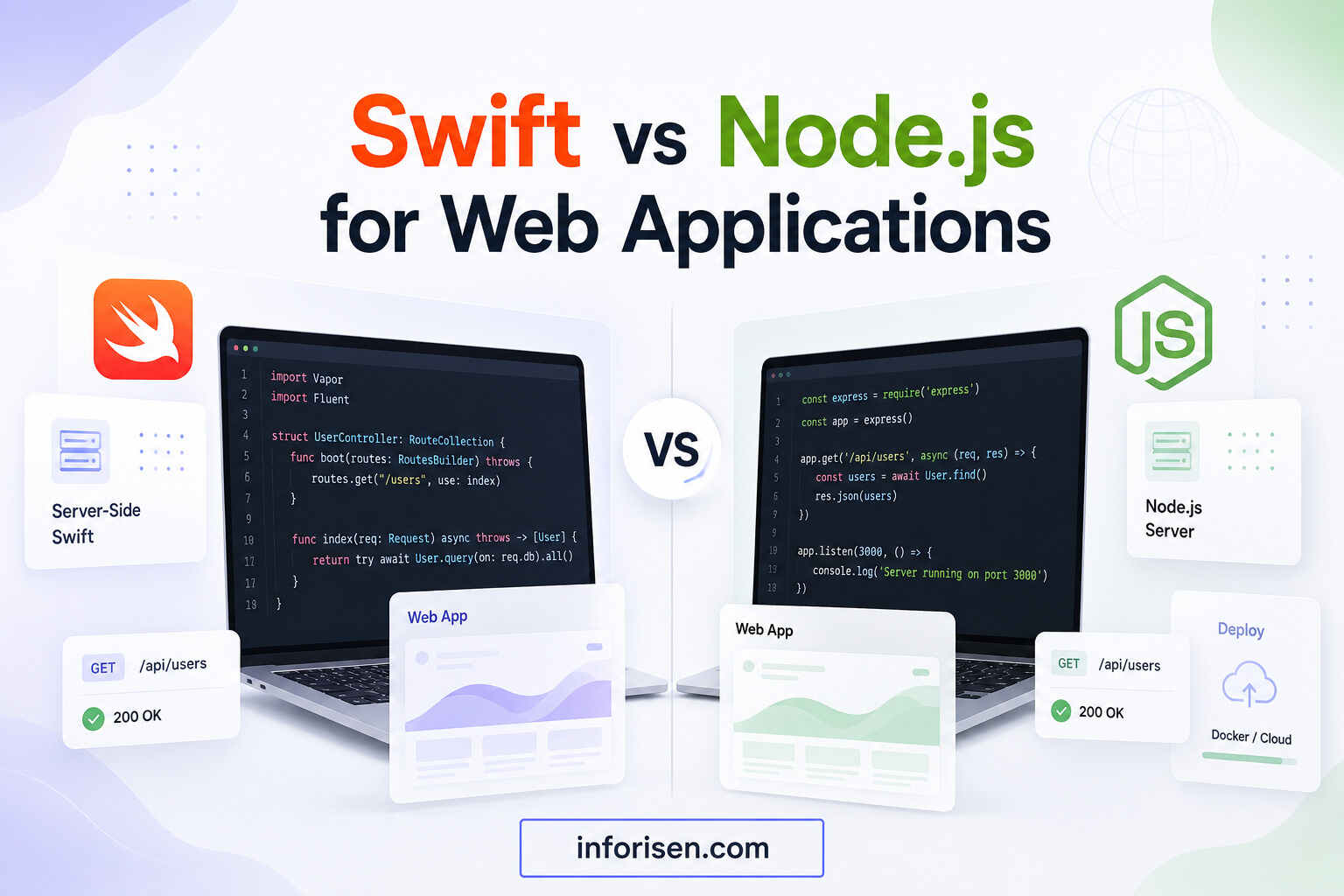
Both Swift and Node.js can build APIs, web applications, and cloud services.
Node.js is usually easier for teams already using JavaScript or TypeScript. It also provides access to a very large package ecosystem. Many developers are familiar with Node.js, and it is supported by numerous hosting providers, cloud services, and development tools.
Swift may offer stronger compile-time checking and can be valuable for teams that already build iOS or macOS applications. Its native compilation and concurrency model may also suit performance-sensitive backend services.
Swift may be preferable when:
- The team already uses Swift
- The product includes an iOS application
- Compile-time checking is important
- Native performance is required
- Shared data models are useful
Node.js may be preferable when rapid development, easy hiring, and access to JavaScript packages are major priorities.
Neither technology is automatically better for every project. A well-designed Node.js application can outperform a poorly designed Swift application, and a well-designed Swift backend can provide excellent performance and maintainability. The team’s expertise and architecture usually have a major influence on the final result.
Limitations of Swift Web Development
The server-side Swift ecosystem is smaller than JavaScript, Python, PHP, Java, or C#. Some third-party services may not offer official Swift libraries. Developers may need to use community packages, communicate directly with APIs, or build selected integrations manually.
Documentation and learning resources are also more limited for server-side Swift than for mainstream web technologies. Although Swift itself has a strong developer community, many members primarily focus on Apple application development rather than backend infrastructure.
It may also be more difficult to find developers with experience in both Swift and backend infrastructure. Hiring challenges can increase project costs or make long-term maintenance more difficult.
Hosting can require cloud servers, containers, or custom runtime environments instead of standard shared hosting. The team may need experience with Linux, Docker, reverse proxies, process management, monitoring, and deployment pipelines.
Some web development tools and services are designed primarily for JavaScript, PHP, Python, Java, or C#. Swift developers may therefore have fewer ready-made integrations or tutorials when handling specialized requirements.
For simple business websites, WordPress or a more common web stack may be easier and more affordable. Developers comparing backend technologies with desktop GUI tools can also review whether Tkinter can be used for web development. Swift is generally most valuable when the project has specific backend, performance, Apple integration, or technical architecture requirements.
When Should You Use Swift?
Swift can be a suitable choice when:
- The product has an iOS or macOS application
- The team already understands Swift
- The project requires APIs or microservices
- Strong typing and performance are important
- Shared mobile and backend logic provides value
- The application will use cloud or container hosting
Swift may also be appropriate when a business is building a long-term software product rather than a simple informational website. Applications involving customer accounts, subscriptions, dashboards, booking systems, real-time communication, or mobile integrations may benefit from a structured Swift backend.
The language can be particularly useful when the existing team has significant Swift knowledge. Using familiar technologies may reduce training time and improve collaboration between mobile and backend developers.
A more common backend language may be better when the project has a small budget, relies on many web plugins, or needs a larger pool of available developers. It may also be preferable when the company uses inexpensive shared hosting or depends heavily on libraries that do not support Swift.
Before making the decision, businesses should evaluate the complete development lifecycle, including design, development, testing, deployment, monitoring, recruitment, maintenance, and future expansion.
Final Words
For businesses asking, “can Swift be used for web development,” the answer is yes. Swift can power REST APIs, application backends, dynamic websites, microservices, and cloud-based platforms. Frameworks like Vapor and Hummingbird make server-side Swift development practical, especially for Apple-focused products.
Although Swift does not replace JavaScript in the browser, it offers strong performance, type safety, scalability, and reliable backend development.
It may not suit every simple website or blog, but it works well for custom applications, mobile app backends, and cloud services. The best choice depends on project goals, budget, team expertise, technical requirements, long-term growth, and future needs.
Frequently Asked Questions
Swift can run in browsers through WebAssembly, but JavaScript and TypeScript remain more common for frontend web development. Most Swift web projects use the language on the backend while relying on HTML, CSS, and JavaScript for the visible browser interface.
Yes. Swift is suitable for REST APIs, authentication systems, database applications, microservices, and mobile app backends. Its type safety, native compilation, concurrency features, and server-side frameworks make it capable of handling many modern backend requirements.
Vapor is generally the most complete Swift web framework. It provides routing, database tools, authentication support, middleware, validation, templating, and other features required by full web applications. Hummingbird is a good lightweight alternative for APIs and microservices.
Swift can replace Node.js on the backend, but it does not normally replace JavaScript in browser-based frontend development. A project can use Swift for backend logic and JavaScript or TypeScript for browser interactions.
Yes. Swift web frameworks can connect with PostgreSQL, MySQL, SQLite, MongoDB, Redis, and other databases. The available options depend on the framework, database driver, and packages selected for the project.
Swift may offer stronger performance and Apple integration, while Python has a larger ecosystem and is often easier for rapid development. The better choice depends on the application requirements, team experience, library needs, deployment environment, and long-term maintenance plan.
Yes. Swift supports Linux and can be deployed on Linux servers, Docker containers, and cloud platforms. Linux deployment is common for server-side Swift because it provides a flexible environment for production hosting, automation, monitoring, and application scaling.


.webp&w=3840&q=75)



.jpg&w=3840&q=75)